
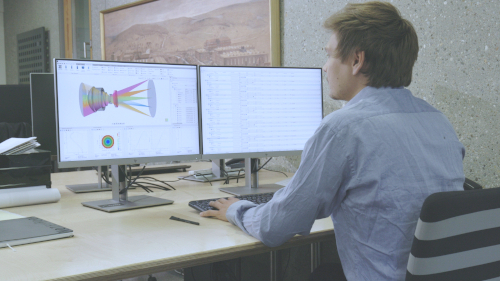


Ghost Reflection Analysis in QUADOA® Optical CAD
QUADOA® Optical CAD analyzes ghost reflections sequentially: the Ghost Wizard creates one sequence for every ghost path in the system, in a fraction of a second. In the video, 67 second-order ghost sequences are generated in about 600 ms. The ghosts can be colored, sorted by their impact on the image surface and inspected one by one, all within the same model and much faster than a non-sequential stray light analysis.
Key points
- Open the Ghost Wizard with Generate Ghosts in the Sequence tab.
- First order: one reflection per ghost; second order: two reflections.
- Each ghost path becomes its own ghost sequence in the System Setup Editor.
- Sort ghosts by maximum illuminance or maximum total flux on the image surface.
- Use Hide All Ghosts, then Show single ghosts to inspect them.
- For diffractive surfaces, a separate Diffractive Ghost Wizard creates ghosts of the non-design diffraction orders.
Terms used in this article
- Ghost
- Unwanted light that reaches the image after reflections at optical surfaces.
- Ghost order
- The number of reflections in a ghost path: one (first order) or two (second order).
- Ghost sequence
- A sequence that traces one specific ghost path.
How to generate ghost sequences
- Go to the Sequence tab. To start from scratch, click Remove all Ghosts.
- Click Generate Ghosts. The Ghost Wizard opens.
- Select the Sequence for which ghosts are generated, for example Auto Sequence 1.
- Choose the Ghost Order: First Order (single reflection) or Second Order (two reflections).
- Leave Hide Ghost unchecked to see the ghosts, and click OK.
In the video, 67 ghost sequences are created in about 600 ms and appear in the System Setup Editor under Sequences.
How to color the ghosts
Use the ray coloring icon of the 3D view to color rays by sequence, field, wavelength or spectrum. Colored by sequence, every ghost path and its focus are easy to tell apart.
How to find the most critical ghosts
Two buttons in the Sequence tab sort the ghost sequences by their impact on the last (image) surface:
- Sort by Illuminance: maximum illuminance on the image surface.
- Sort by Total Flux: maximum total flux on the image surface.
After sorting, the ghost at the top has the largest impact, the one at the bottom the smallest. Expanding a ghost sequence shows its exact path through the system.
How to inspect single ghosts
- Click Hide All Ghosts in the Sequence tab. Hidden ghosts are grayed out in the System Setup Editor.
- Optionally hide the main sequence with a right-click → Hide.
- Right-click a ghost sequence and choose Show.
In the video, ghost 4 is reflected once at surface 11 and once at surface 9. Ghost sequences can also be converted to User Sequences, and User Sequences to ghost sequences, to include them in the ghost analysis.
Tips for large systems
- Check Hide Ghost in the wizard so that ghost sequences are created hidden.
- Set the Ray Count to Minimal to use a minimal XY fan. This only affects the 3D view; ghost irradiance plots use their own number of rays.
- The Ghost Irradiance Plot evaluates the intensity of the ghosts on the image surface. For unpolarized light, use a Stokes source, since Fresnel reflections can partially polarize the light.
Video tutorial: ghost reflection analysis
This 5-minute video generates second-order ghosts, sorts them by their impact and inspects single ghost paths.
Video length: 4:32 min · Also on YouTube: Ghost Reflection Analysis in QUADOA® Optical CAD with the Ghost Wizard
Frequently asked questions
Click Generate Ghosts in the Sequence tab, select the sequence and the ghost order (first or second), and click OK. One ghost sequence is created per ghost path.
First-order ghosts contain one reflection at a surface of the sequence, second-order ghosts two reflections.
Sort the ghost sequences with Sort by Illuminance or Sort by Total Flux in the Sequence tab. The ghost at the top has the largest impact on the image surface.
All ghost rays are traced for the 3D view. Generate ghosts hidden, use Hide All Ghosts, or set the Ray Count in the Ghost Wizard to Minimal.
Yes. The Diffractive Ghost Wizard generates sequences for the diffraction orders that are not the design order, up to a maximum order.