


Material Substitution in QUADOA® Optical CAD
Material substitution lets the optimizer of QUADOA® Optical CAD replace catalog glasses with other real glasses from an allowed list, to find the best glass combination. Continuing the doublet from the spot radius tutorial, both materials are marked as Substitute, the whole SCHOTT catalog is allowed, and the Extended Optimization reduces the maximum spot radius from 18 µm to 9 µm.
Key points
- Check Substitute next to each material that may be replaced.
- Define the allowed glasses in Substitute Materials (Optimization tab).
- Substitution only works with the Extended or Global Optimizer.
- Glass Selector: Smart (by dispersion, usually better) or Random (if transmission or thermal properties matter).
- Alternative: optimize index and Abbe number of model materials with the Local Optimizer.
Terms used in this article
- Substitute
- A flag on a catalog material that allows the optimizer to replace it.
- Substitute material list
- The glasses the optimizer may choose from; stored with the model.
- Extended Optimizer
- An optimizer that also explores neighboring solutions and can make discontinuous changes such as glass exchanges.
How to mark materials for substitution
In the Optical Design Editor, check the Substitute box next to each material the optimizer may replace, here both materials of the doublet. The All Subst button in the Optimization tab marks every catalog material at once; Rem. Subst. removes all marks.
How to define the substitute material list
- Click Substitute Materials in the Optimization settings of the Optimization tab.
- Open a catalog, for example SCHOTT, select materials and click Add, or add the complete catalog. Remove takes them out again.
- Click OK.
The list is stored with the model. To reuse a selection of preferred glasses, create your own catalog first; see material and substitute catalogs.
How to run the substitution
- Click Extended Optimization in the Optimization tab. The number in brackets shows the number of substitution variables, here 2.
- Select the merit function and, under Update Views, enable the update of the 3D view and plots.
- Click Optimize. The optimizer exchanges the glasses and re-optimizes the radii; it runs until you stop it.
Result: new glasses and a maximum spot radius of 9 µm for all wavelengths, half of the previous 18 µm.
Why not the Local Optimizer? The Local Optimizer strictly searches the nearest minimum and makes no “jumps”, which a change of glass requires. Substitution therefore needs the Extended or Global Optimizer. In the Extended Optimizer, the Glass Selector chooses candidates by dispersion (Smart, usually the better choice) or randomly (Random, recommended when transmission, thermal expansion or several thermal configurations affect the merit function).
Alternative: optimizing model materials
- Convert the catalog materials to model materials with a right-click.
- Set Index and Abbe Nr. as variables.
- Add a Model Material Offset goal, which penalizes index/Abbe combinations that no glass in the substitute list offers.
- Optimize with the Local Optimizer, then replace the model materials with the best-fitting catalog glasses (Replace Model) and re-optimize briefly.
This method is usually faster than substitution, while substitution works with real glasses from the start.
Video tutorial: material substitution
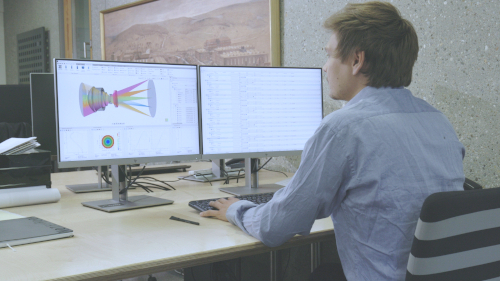
This 3-minute video substitutes the glasses of the doublet from the spot radius tutorial with the Extended Optimization.
Video length: 2:31 min · Also on YouTube: Material Substitution: Optimizing Glass Choice in QUADOA® Optical CAD
Frequently asked questions
Check Substitute next to the materials, define the allowed glasses in Substitute Materials in the Optimization tab, and run the Extended or Global Optimization.
It only searches the nearest local minimum and makes no discontinuous jumps, which a change of glass requires.
Smart chooses glasses by their dispersion and usually gives better results. Use Random if other glass properties, such as transmission or thermal expansion, affect the merit function.
Yes. Optimize index and Abbe number of model materials with the Local Optimizer and a Model Material Offset goal, then replace them with the best-fitting catalog glasses.